Diabetes App Comparison: 5 Tested Picks 2026
A hands-on diabetes app comparison of MyNetDiary, MySugr, Glucose Buddy, Diabetes M, and One Drop, with pros, cons, pricing, integrations, and a feature.

In this article(31)
With so many diabetes app comparison articles out there, it is hard to know which reviews are trustworthy. Most are screenshots of feature lists with no sense of how the apps actually feel after a week of use. We took a different approach and downloaded, configured, and used MyNetDiary, MySugr, Glucose Buddy, Diabetes M, and One Drop with the same data inputs over the same period so you can see exactly how they stack up on the things that matter day to day.
This guide goes deeper than a quick roundup. Each app gets its own pros, cons, free vs paid breakdown, and integration notes for CGMs, Apple Health, and Google Fit. At the end, a side-by-side table maps every feature in one view, plus a final verdict on best overall, best free, best for type 1, and best for type 2.
We will lean on official documentation from each developer and recommendations from the American Diabetes Association and NIDDK where they apply. If you want a higher-level overview before diving in, our diabetes tracking apps comparison frames the category, while this post is the head-to-head review.
How We Tested These Five Diabetes Apps
Comparing diabetes apps is harder than comparing fitness trackers because the right answer depends on your treatment plan. Our goal was to score each app on the same dimensions, then translate that into recommendations for different types of users. The full list of tools we considered overlaps heavily with our best diabetes management apps ranking, but here we focus on five apps that consistently appear at the top of both Apple App Store and Google Play diabetes charts.
Testing criteria
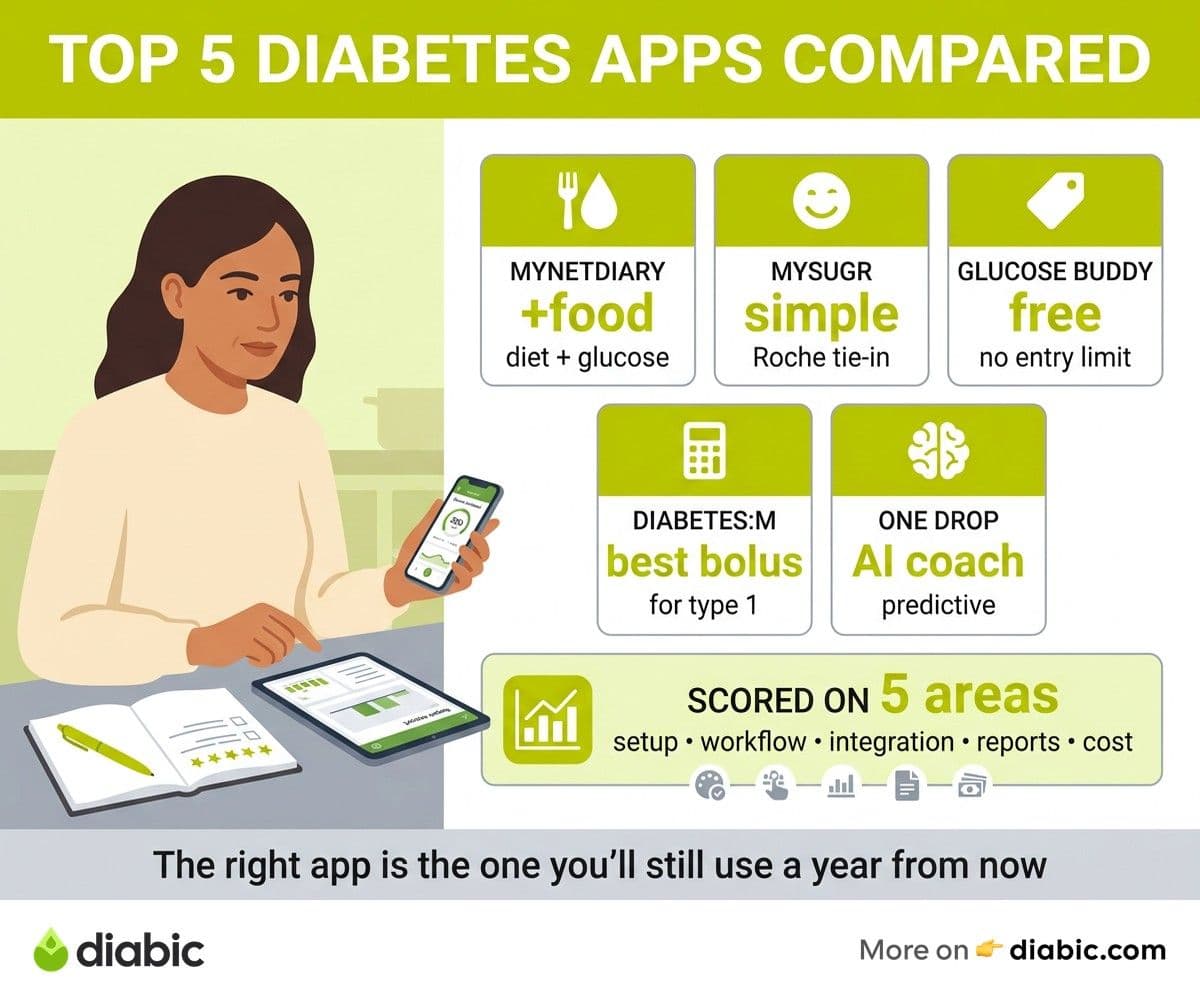
We scored each app on five categories. Ease of setup covered onboarding, account creation, and time to first useful log. Daily logging workflow covered the speed and friction of routine entries. CGM and meter integration covered which devices connected without hacks. Report quality covered what you can show a clinician. Cost and privacy covered what you pay and what you give up.
Each category was scored on a four-point scale, then averaged for an overall feel rating. We are not a clinical journal, and these are subjective scores informed by long-term use, not laboratory testing.
Same data, multiple days
We logged identical glucose readings, meals, insulin doses, and activity across all five apps for several days, then compared how each app surfaced the data afterward. Reports from the same inputs differ surprisingly across apps. Some emphasize average glucose, others time in range, others insulin patterns. That difference shapes which app fits which user.
We also tested the apps on both iOS and Android where available, since some apps have parity gaps between platforms.
Scoring methodology
Final scores reflect features, usability, accuracy of basic calculations like A1C estimation, cost relative to value, and privacy posture. None of these apps replace your clinician. The right one is the one you will keep using a year from now, not the one with the most features.
MyNetDiary Review
MyNetDiary started life as a calorie counter and grew into one of the more capable diabetes companions available. The diabetes-focused app, MyNetDiary Diabetes Tracker, sits alongside the calorie-tracking version and inherits its enormous food database. It is available on iOS and Android.
The strongest feature is food tracking. The barcode scanner finds most US grocery items, and the carb counts are reliable, which matters more than people realize. If you are still doing carb math by guess, this is the app where the database does the work for you.
Pros
- Massive food and barcode database
- Combined diet, weight, and glucose tracking in one place
- Carb-to-insulin ratio support and insulin logging
- Apple Health and Google Fit sync
- Solid free tier for basic logging
Cons
- Interface is dense if you only need glucose tracking
- Some diabetes-specific reports require Premium
- Reports lean diet-and-weight first, not clinical-first
- CGM integration is limited compared to dedicated diabetes apps
Free vs Paid
The free tier covers manual glucose logging, basic food tracking, and weight tracking. The Maximum Diabetes plan, around $9.99 per month or roughly $60 per year, unlocks advanced reports, no ads, premium foods, and detailed insulin tools. For users who care most about combined food and diabetes tracking, the paid tier is reasonable value.
Key integrations
Apple Health, Google Fit, Fitbit, Garmin Connect, Withings scales, and a number of meters. Direct CGM streaming is limited compared to dedicated tools, so if you wear a Dexcom or Libre, expect to sync via Apple Health rather than directly. For more on food-first apps, our calorie counting apps post overlaps with this one and may help if diet is your priority.
Best for
People who want diet, weight, and glucose tracked together, especially type 2 users on oral medications who count carbs and watch portions. The interface rewards consistent logging and the food database is the reason most people stay.
MySugr Review
MySugr, owned by Roche, is the most polished diabetes app in this group. The home screen shows a "monster" character that gets calmer as your day stays in range, which sounds odd until you notice how much it nudges newer users to log more often. Available on iOS and Android.
The clean interface and Accu-Chek meter integration make this the easiest app to recommend to someone new to digital tracking. Pro features unlock a bolus calculator and detailed reports, and the PDF export is genuinely clinician-ready. If you want a primer on getting CGM data into the right place first, our guide on how to use your CGM app pairs well here.
Pros
- Clean, modern interface
- Strong Bluetooth integration with Accu-Chek meters
- Apple Health and Google Fit sync
- Clinician-ready PDF reports
- Friendly motivational design
Cons
- Bolus calculator is paywalled in Pro
- Direct CGM streaming for Dexcom and Libre is limited by region
- Free tier feels limited after a few weeks
- Some advanced reports require Pro
Free vs Paid
The free tier handles unlimited manual logging, photos for meals, basic reports, and Apple Health sync. MySugr Pro, around $2.99 per month or $27.99 per year, unlocks the bolus calculator, advanced PDF reports, reminders, and meter strip refill bundles in the United States. For type 1 users, the Pro bolus calculator alone often justifies the cost.
Key integrations
Accu-Chek meters via Bluetooth, Apple Health, Google Fit, and selected CGMs depending on country. Pump integration is limited. If you live in the United States, MySugr Bundle is a separate program that combines Accu-Chek strips, app Pro features, and coaching for a flat monthly fee, often covered by insurance.
Best for
Type 1 users who want a simple, attractive logging experience, and anyone moving from paper logs to a digital app for the first time. The motivational design helps build a habit, which is worth more than any single feature.
Glucose Buddy Review
Glucose Buddy is the longest-running app on this list and has stayed close to its roots: simple, free, and broadly useful. It is the easiest pick for budget-conscious users and those who do not want to subscribe. Available on iOS and Android.
The free tier is more generous than its competitors. You get unlimited logs, A1C estimation from average glucose, medication reminders, and a community feed for peer support. The catch is the ads, which can interrupt logging, and an interface that has not had the visual refresh others have had.
Pros
- Generous free tier with unlimited logging
- A1C estimator based on average glucose
- Medication reminders
- Built-in peer community
- Apple Health and Google Fit sync
Cons
- Ads in the free version interrupt the flow
- Interface feels older than competitors
- Premium reports lock behind subscription
- CGM streaming is limited
Free vs Paid
Free tier is the headline feature. Premium, around $59.99 per year, removes ads, unlocks advanced reports, and adds personalized insights. If the free tier covers your needs, you may never need to pay, which is rare in this category.
Key integrations
Glucose Buddy meter via Bluetooth, Apple Health, Google Fit, and several manual import options. Direct CGM streaming is limited, but you can pull CGM-derived glucose values through Apple Health on iOS.
Best for
Budget-conscious type 2 users who log manually, and anyone who wants a no-friction free app to start with. The community feed is also a quiet plus that competitors do not match.
Diabetes M Review
Diabetes M is the quiet power tool of the group. It does not have the polish of MySugr or the brand of One Drop, but it has the deepest configurability for insulin users who want a bolus calculator that respects their actual ratios and correction factors. Available on iOS and Android.
The Android version has been the lead platform for years and the iOS app has steadily caught up. If you have specific insulin therapy needs, this app gets out of your way more than any other on this list.
Pros
- Highly configurable bolus calculator
- Detailed insulin and basal tracking
- Multiple report formats including time in range
- Strong CSV export
- Capable free tier with optional Pro upgrade
Cons
- Steeper learning curve, especially for non-insulin users
- Interface is functional rather than beautiful
- Some integrations remain Android-first
- Less hand-holding for new users
Free vs Paid
Free tier covers core logging, basic reports, and the bolus calculator. Pro, sold as a monthly subscription or one-time lifetime upgrade in some markets, unlocks cloud sync across devices, advanced statistics, and additional report formats. The lifetime option is rare in 2026 and worth considering if you intend to stick with the app long term.
Key integrations
Bluetooth glucose meters, Apple Health, Google Fit, and CSV export. Pump and CGM integration depends on platform and is generally stronger on Android than iOS. If you are deep into device data, expect some configuration work to get everything talking.
Best for
Insulin users, especially type 1, who want granular control over bolus calculation and detailed reporting. Also a good pick for anyone who values local-first data storage and clean exports.
One Drop Review
One Drop takes a different approach from the rest of the list. The app is the front end for a broader service that includes a connected meter, optional human coaching, and AI-driven blood sugar predictions. Available on iOS and Android.
The headline feature is predictive forecasting. After a few weeks of consistent logging, the app estimates likely glucose values based on meals, activity, and history. The accuracy improves with use and is meaningful enough that some users plan meals around it.
Pros
- Predictive blood sugar forecasting
- Optional certified diabetes coach
- Connected One Drop Chrome meter
- Unlimited test strip plans available in the US
- Apple Health and Google Fit sync
Cons
- Higher subscription cost than competitors
- Predictions need several weeks to calibrate
- Coaching is the main draw, app alone feels expensive
- Interface depth can feel like a lot for new users
Free vs Paid
A limited free version exists for app-only logging. The full experience is subscription based, typically $39.99 to $69.99 per month depending on bundle, often with unlimited strips and coaching included. Some employers and insurers cover the cost, which can change the economics meaningfully.
Key integrations
One Drop Chrome meter via Bluetooth, Apple Health, Google Fit, and selected meters. Direct CGM streaming is supported in some configurations, but the AI predictions depend more on consistent logging than on CGM data alone.
Best for
People who want personalized insights and human coaching as part of the package, and anyone whose employer or insurer covers a One Drop plan. The app alone, without coaching, is harder to justify against MySugr or Diabetes M.
Diabetes App Comparison Table at a Glance
The matrix below summarizes feature support across all five apps. Specific availability changes by region and over time, so confirm critical features in your country before subscribing.
Final verdict
Best overall: MySugr. The combination of a clean interface, motivational design, and a clinician-ready report makes it the easiest app to keep using. Pro is worth it for type 1 users who want the bolus calculator.
Best free: Glucose Buddy. The free tier handles real-world diabetes management without forcing an upgrade. Ads are the trade-off, and most users find them tolerable.
Best for type 1: Diabetes M. The configurability of the bolus calculator and the detail of insulin tracking outweigh the dated visual style. MySugr Pro is the runner-up.
Best for type 2: MyNetDiary. The food database does the heavy lifting, and the combined view of diet, weight, and glucose matches how most type 2 management actually works.
Best for personalized insights: One Drop. If your employer or insurer covers the cost, the predictive forecasting and coaching are uniquely useful. Without coverage, it is the priciest pick.
From my experience: I have used four of these five apps for at least a few months each across 14 years with type 1 diabetes. The pattern that holds is simple. The fanciest features matter less than logging speed and report quality. I have stayed longest with apps that take fewer than five seconds to log a glucose reading and produce a PDF I can hand to my endocrinologist without editing. Pick on those two criteria and the rest will sort itself out.
FAQ
Which diabetes app is best for blood sugar tracking?
MySugr and Diabetes M lead for daily blood sugar tracking. MySugr wins on speed and visual clarity, Diabetes M wins on configurability. If you want a free option, Glucose Buddy is the strongest pick. Talk to your doctor about which features matter most for your treatment plan.
Is MySugr better than Glucose Buddy?
For polish and clinician reports, MySugr is better. For free use, Glucose Buddy is better. MySugr Pro adds a bolus calculator and removes friction. Glucose Buddy stays usable without paying. Try both for a week and pick the one you reach for without thinking.
Which diabetes app has the best free version?
Glucose Buddy. Unlimited logging, A1C estimation, medication reminders, and a community feed are all included for free. Diabetes M is the runner-up if you need a bolus calculator on the free tier.
Picking your next app
The honest move is to install two of the five, log every reading and meal in both for one week, and let your gut decide. Pay attention to which app you open without thinking, and how easy the report is to send to your clinician. Cancel any trial subscriptions before they renew, export a CSV before you delete an account, and bring the report you actually plan to use to your next appointment.
If you want to put that report to work in a virtual visit, our guide to telemedicine for diabetes pairs naturally with this diabetes app comparison.
Shahriar P. Shuvo is the founder of Diabic. He has lived with diabetes for over 14 years, and built Diabic to deliver the practical, evidence-based self-management tools he wished existed when he was first diagnosed. By trade, Shahriar is a senior design and frontend engineer with 6+ years shipping products at Agora, Timescale (now Tiger Data), and ShareTrip. He writes from the intersection of lived diabetes experience and product craft, focused on what works in daily management rather than what sounds good in a textbook.
Medically reviewed by
Dr. Rezwana Parvin Rumpa is an obstetrics and gynaecology specialist with clinical focus on gestational diabetes, PCOS, and fertility. She holds the MRCOG (Final Part) from the Royal College of Obstetricians and Gynaecologists in London, the MRCPI (Final Part) from the Royal College of Physicians of Ireland, and an MBBS from Shaheed Monsur Ali Medical College under Dhaka University. Dr. Rumpa serves as a Senior Medical Officer in the Obs and Gynae department at BRB Hospitals Ltd, where she has spent three years managing prenatal care, emergency obstetric cases, and women's-health surgery. On Diabic, she medically reviews content for women living with diabetes, with particular attention to pregnancy, PCOS, and reproductive-health intersections.
More from Devices & Technology
View all
Fasting vs Postprandial Glucose: What's the Difference
Fasting vs postprandial glucose readings tell different stories about your blood sugar. Learn what each number means and how to act on it.

Best Glucometer for Elderly and Low-Vision Users
Best glucometer for elderly and low-vision users: large displays, audio readouts, no-coding strips, and budget picks that make daily testing easier.

Online Diabetes Coaching: How to Choose a Good One
Online diabetes coaching can fill the gaps between doctor visits. Learn what credentials to check, red flags to avoid, and how to pick a quality program.
Clinician-reviewed habits, plain-language guides, and honest answers - the small shifts that make living with diabetes feel lighter, every day.